AllPath logo

Trading Agent

open source

by AllPath

AllPath · Trading Agent

A trading agent that proposes.
You approve.

Self-hosted, open source. Write strategies in plain YAML, let a sentinel watch them every hour, chat with an agent that remembers how you think — and keep a human approval gate in front of every single order.

Broker
Alpaca · paper
Models
OpenRouter · OpenAI · Anthropic
Stack
Python · SQLite
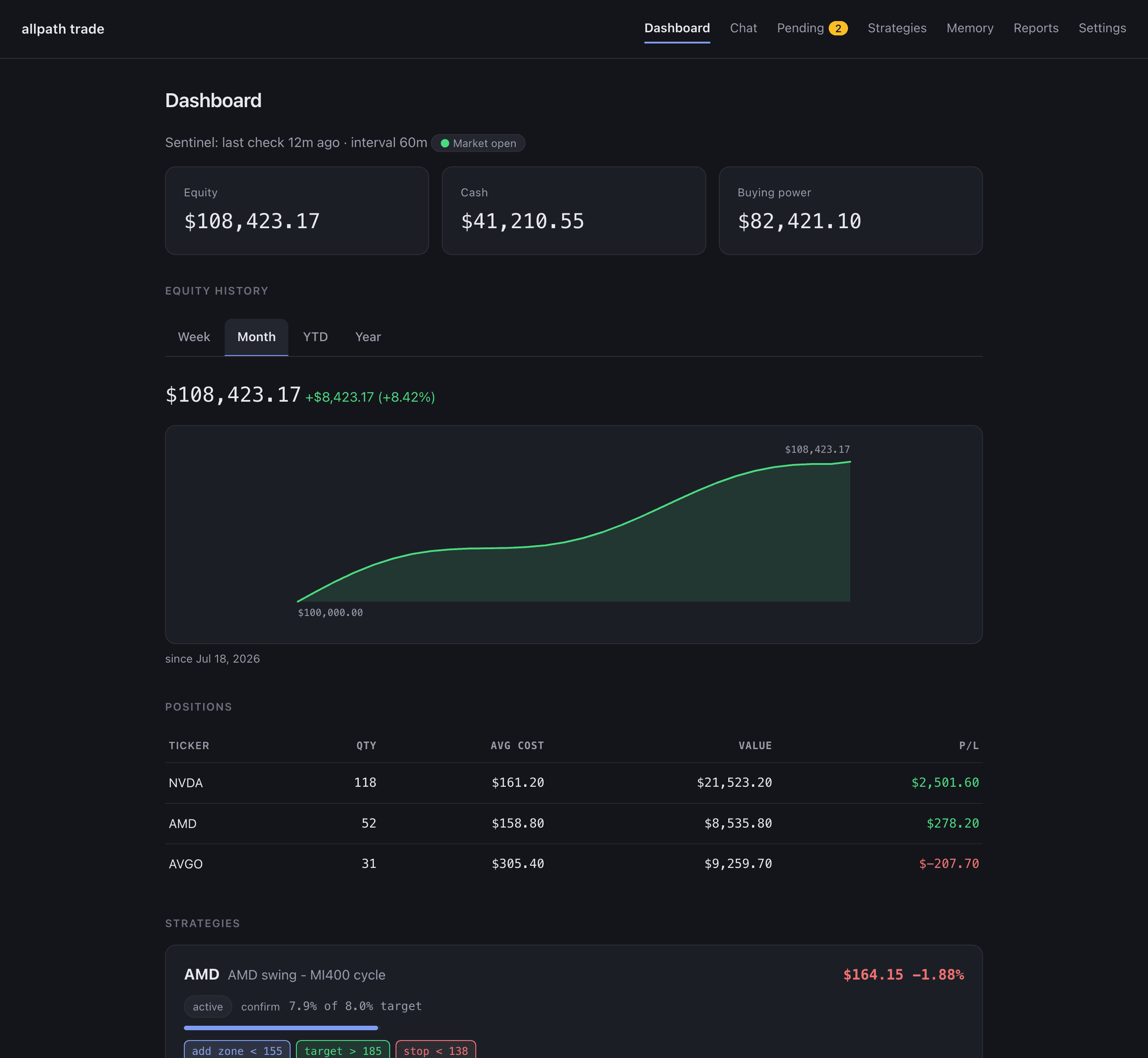
127.0.0.1:8791 — Dashboard
Dashboard: equity curve with week / month / YTD / year tabs, positions table, and compact strategy cards. All figures are demo data.
demo data — not a real account

How an order happens

Six hops. One of them is you.

  1. sentinel

    rule fires

    price < 150 in your YAML strategy

  2. agent

    agent researches

    reads the chart, your memory, the thesis

  3. agent

    proposal queued

    order or strategy change, with a diff

  4. you

    you approve

    web, phone push, or Telegram link

  5. code

    risk gate

    deterministic caps — cannot be bypassed

  6. broker

    paper order

    Alpaca paper account by default

The agent has no tool that places an order or writes a strategy file. It can research, remember, and propose. Approval is a click on the Pending page, a one-time link in a notification, or nothing at all — in which case nothing happens.

Strategy sentinel

Write the plan once. It gets checked every hour.

Strategies are plain YAML: a thesis, a target weight, and rules like `price < 140 → sell all`. During market hours the sentinel evaluates every active strategy on your interval, arms and fires rules, and queues anything that needs a decision.
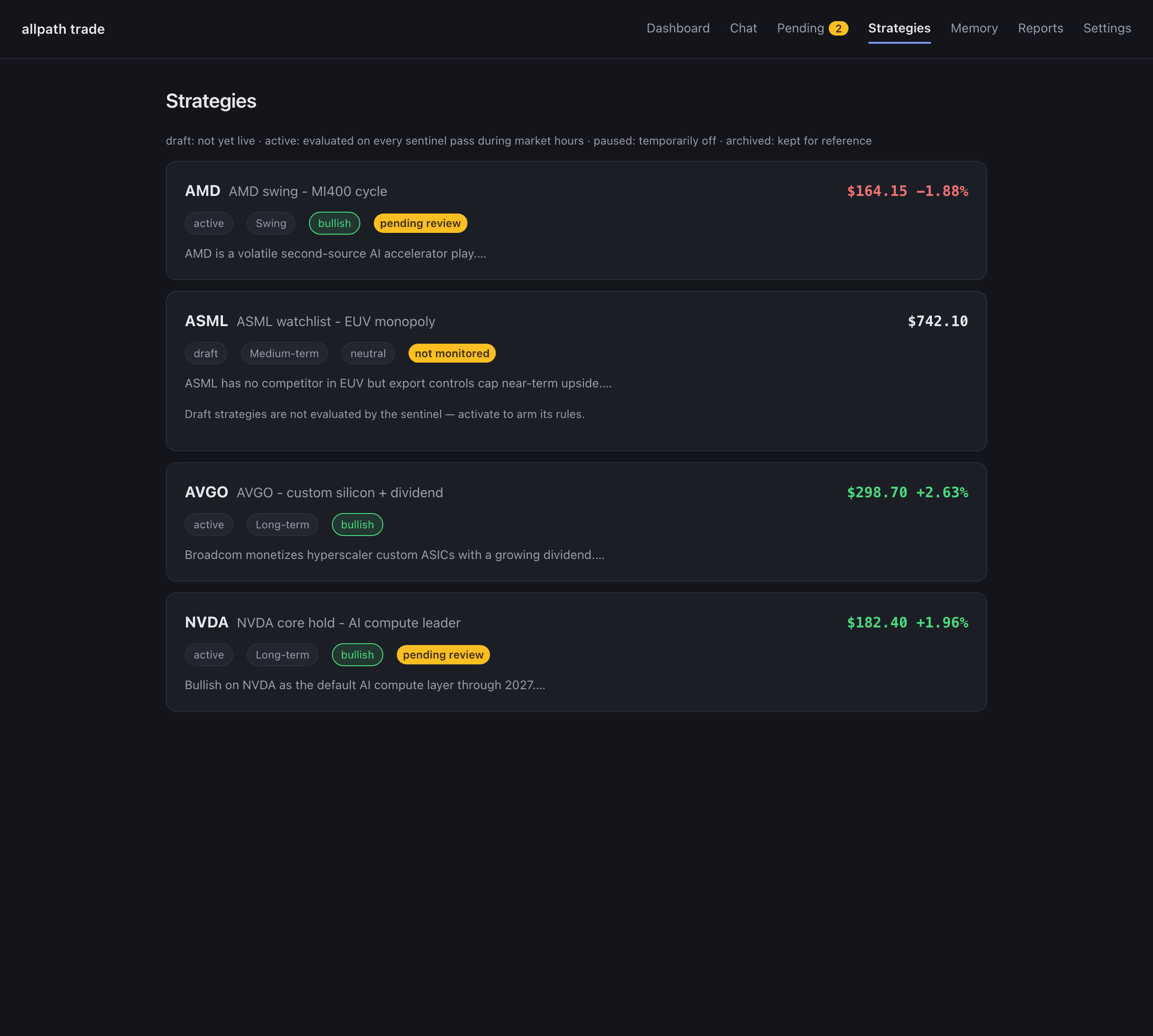
Strategies page: cards for four fictional strategies with horizon and bias chips, live price and day change, and colour-coded key levels.

An agent that remembers

Talk to it in the browser or in Telegram — same agent, same memory.

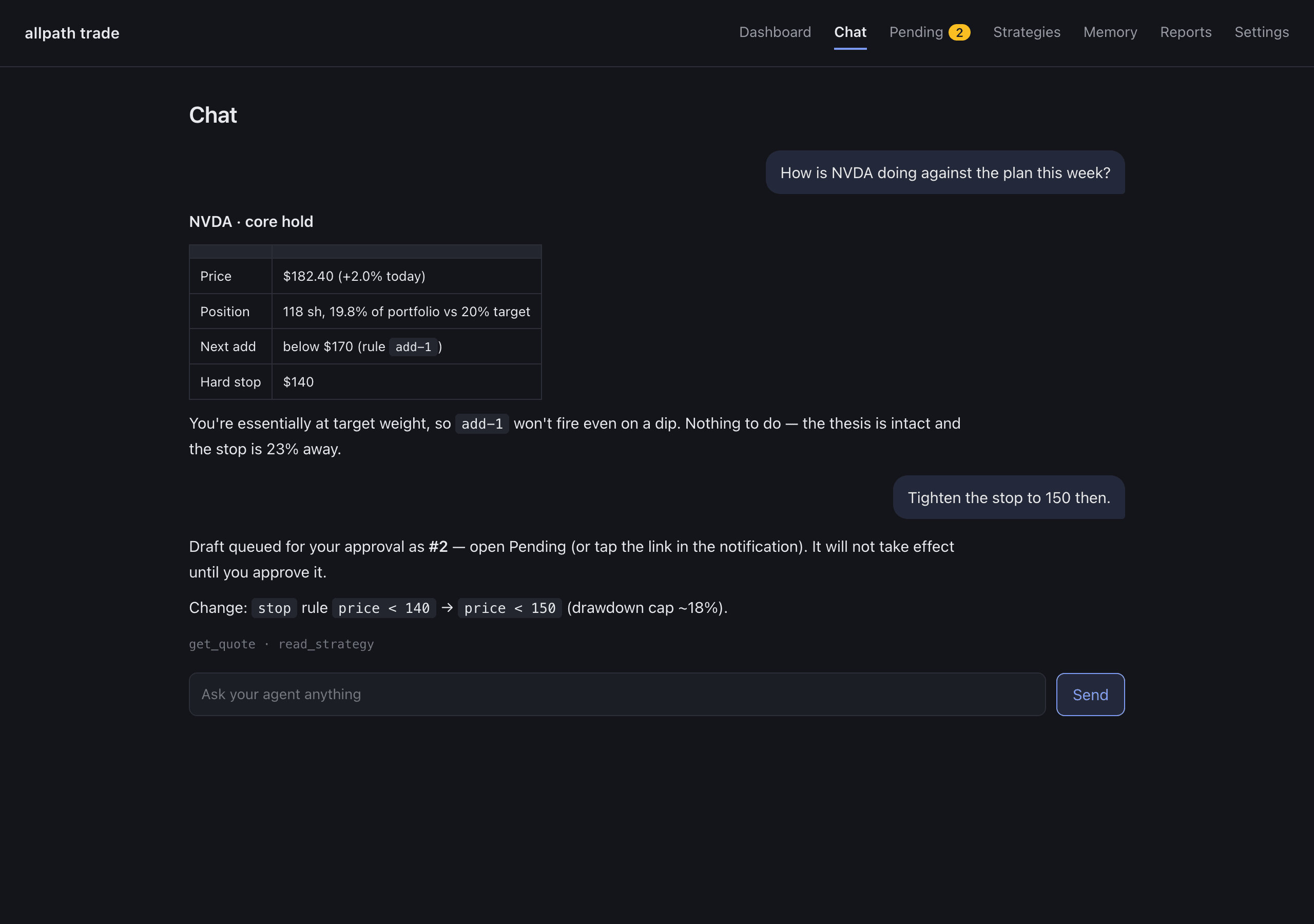
Ask what a position looks like against its plan, tighten a stop, draft a new strategy. It keeps four layers of memory (your profile, strategies, per-stock notes, lessons) and consolidates them nightly, so it gets less generic the longer you use it. Bring your own model: OpenRouter (any model, one key), OpenAI, or Anthropic — pick a different tier for chat, hourly review, and memory.

Chat page: the agent answers a question about NVDA with a small table, then queues a stop-loss change for approval.

Nightly reflection

After the close, it re-reads the day and tells you what it thinks.

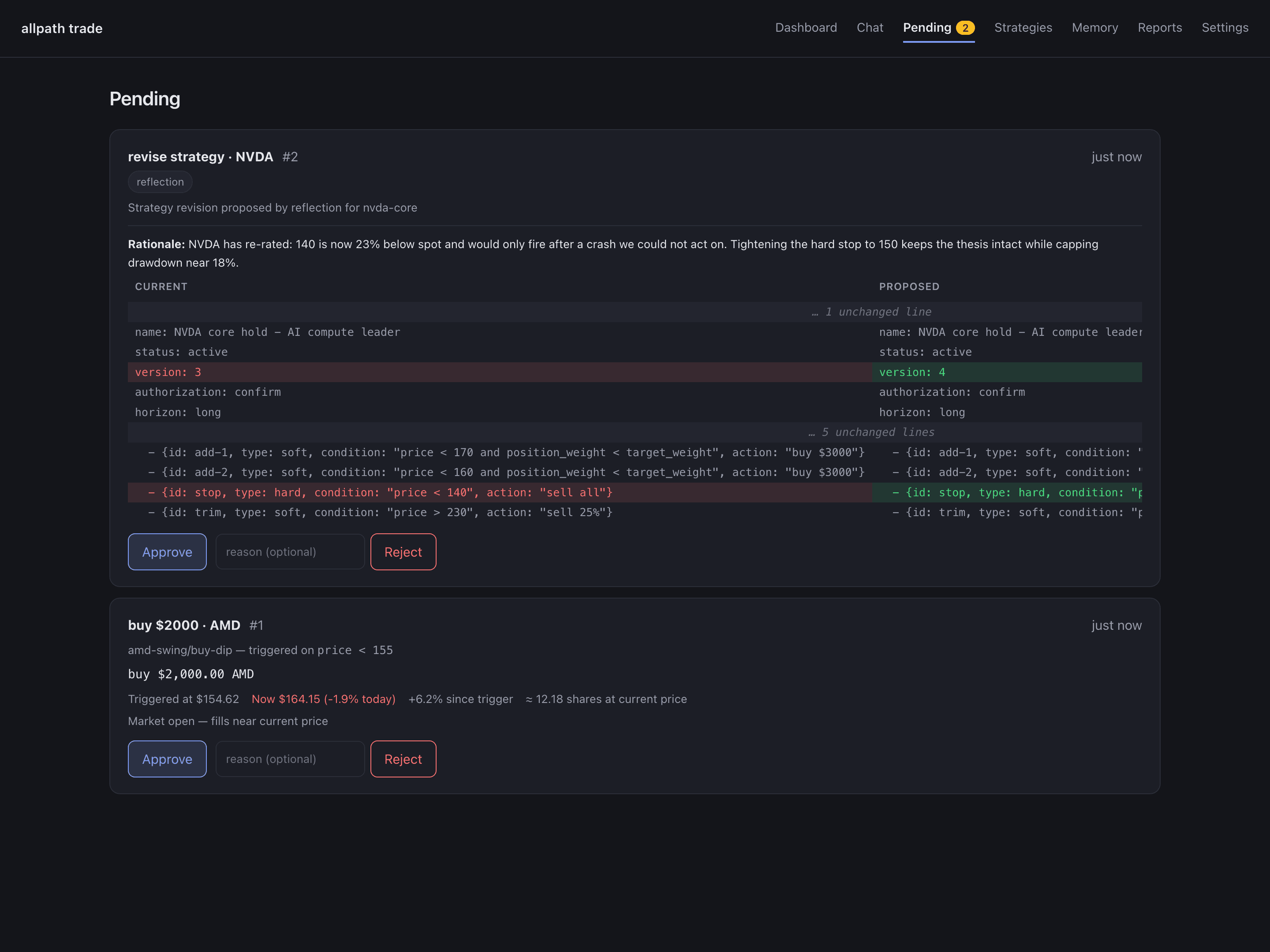
A bounded reflection session reviews every strategy against the day's fills, prices, and triggers, writes durable lessons into memory, and — when a thesis has drifted — proposes a revision. You get the report on your phone; the proposal waits on the Pending page.

Pending page: a reflection-proposed strategy revision shown as a side-by-side diff, and a triggered buy order with its price context, each with Approve and Reject.

What it will not do

Built for the boring failure modes: nothing moves money without you.

  • Paper by default

    Alpaca paper trading out of the box. Live trading is a deliberate .env change, not a checkbox.

  • Every order waits for you

    The agent can only propose. Web, one-tap link, or Telegram — but a human clicks Approve.

  • Risk gate in code

    Position caps and daily limits are deterministic Python the LLM cannot reach around.

  • Strategy edits are diffs

    Chat drafts and reflection proposals land as side-by-side diffs. Nothing writes to a strategy file except your approval.

  • Runs on your machine

    SQLite, local YAML, your own API keys. Nothing leaves your box but the calls you configured.

  • Honest state

    Draft strategies are labelled not monitored. Fills show submitted vs filled. A stale heartbeat shows as stale.

Quick start

Six steps to a running agent. Paper account, no card.

Or: one prompt, zero steps

Using Claude Code, Codex, Cursor — any coding agent? Paste this and it does the setup for you.

Set up the AllPath Trading Agent (https://github.com/dukesky/allpath-trading-agent) on this machine and hand me a running dashboard:

1. Check Python 3.11+ is available and that uv is installed (install uv if missing: https://docs.astral.sh/uv/getting-started/installation/).
2. git clone https://github.com/dukesky/allpath-trading-agent, cd into it, run: uv sync
3. cp .env.example .env — leave every key EMPTY. Do not ask me for API keys or secrets in this chat, and never commit .env.
4. Start the server as a background process: uv run allpath-trade serve
5. First run prints a one-time login token in the server output — find it and show it to me.
6. Open http://127.0.0.1:8791 in my browser. I'll sign in with the token; the built-in setup wizard then collects my Alpaca paper keys (free account, no funding needed) and the Settings page takes one LLM key (OpenRouter, OpenAI, or Anthropic).

Everything runs locally on 127.0.0.1 and it is paper trading by default — do not change that. You are done when the dashboard loads and you've shown me the login token.

Your API keys never touch the agent chat — the app's own setup wizard collects them locally afterwards. Prefer doing it by hand? The same six steps are below.

  1. 01

    Clone and install

    Needs Python 3.11+ and uv. Nothing else to install — the broker and data clients ship with the package.

    git clone https://github.com/dukesky/allpath-trading-agent
    cd allpath-trading-agent
    uv sync
  2. 02

    Get a broker key (free paper account)

    Alpaca paper accounts are free and need no funding. Generate the key pair from the Paper Trading dashboard (right-hand panel).

    # .env
    ALPACA_API_KEY=your_paper_key
    ALPACA_SECRET_KEY=your_paper_secret
    ALPACA_PAPER=true
  3. 03

    Pick an LLM provider

    One key is enough. OpenRouter is recommended (any model behind one key); OpenAI and Anthropic connect directly. You can pick different models per tier later in Settings.

    # .env — choose ONE
    LLM_PROVIDER=openrouter
    OPENROUTER_API_KEY=sk-or-...
    
    # or: LLM_PROVIDER=openai     + OPENAI_API_KEY=...
    # or: LLM_PROVIDER=anthropic  + ANTHROPIC_API_KEY=...
  4. 04

    Start the web UI

    The first run prints a login token in the terminal. Open the URL, paste the token, and you are on the dashboard.

    cp .env.example .env   # then fill in the keys above
    uv run allpath-trade serve
    # → http://127.0.0.1:8791
  5. 05

    Draft a strategy in chat, then approve it

    Describe the plan in plain English. The draft lands on Pending as a diff; approve it, then activate it on the Strategies page so the sentinel starts watching.

    You: "Buy NVDA on pullbacks under 170, up to 20% of the account, hard stop at 140."
    Agent: Draft queued for your approval as #1 — open Pending.
    # Approve on Pending → Activate on the Strategies page → the sentinel starts watching
  6. 06

    Take it with you (optional)

    Push via ntfy or pair a Telegram bot in Settings. Triggers, fills, nightly reports, and one-tap approve links reach your phone.

    Settings → Push notifications (ntfy)  or  Settings → Telegram
    # triggers, fills, nightly reports and approve links on your phone

Full setup, the strategy YAML reference, and every safety note are in the README (English and Chinese). Live trading is a deliberate .env change, never the default.

More of the UI

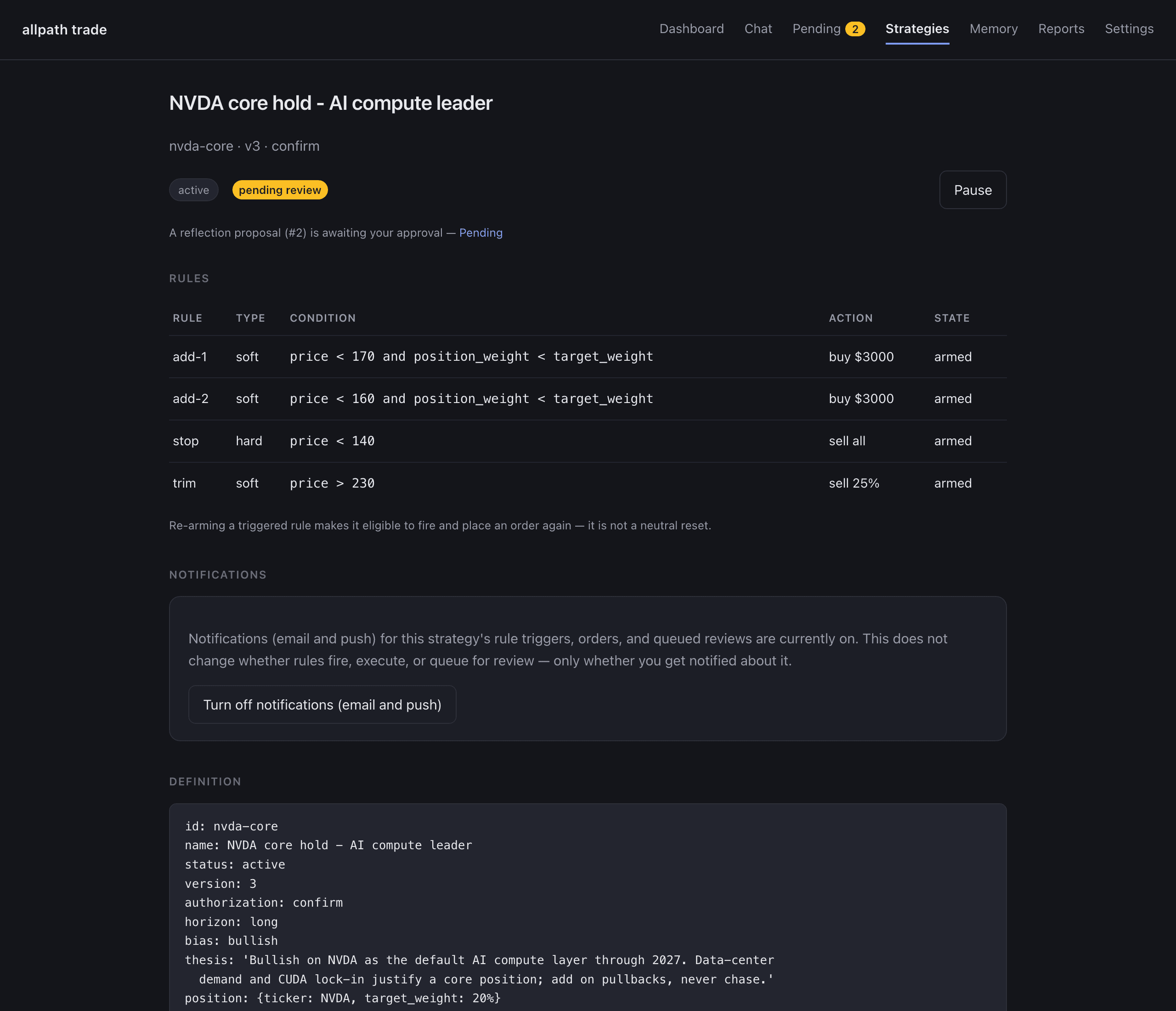
Strategy detail: thesis, rules with live state, version history, and the per-strategy notification toggle.
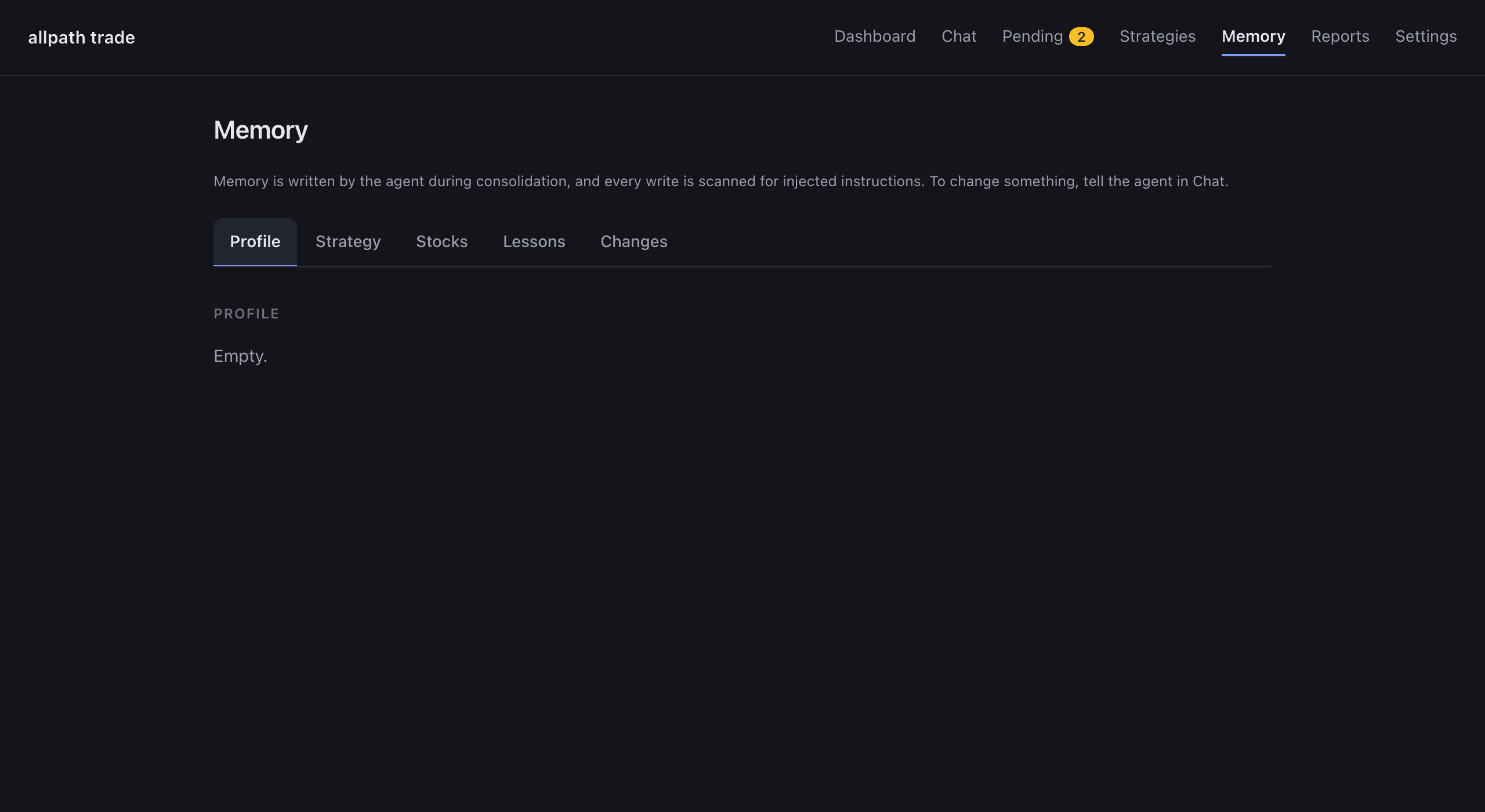
Memory page: the agent's curated layers — profile, strategies, per-stock notes, lessons — read-only, written only through conversation.
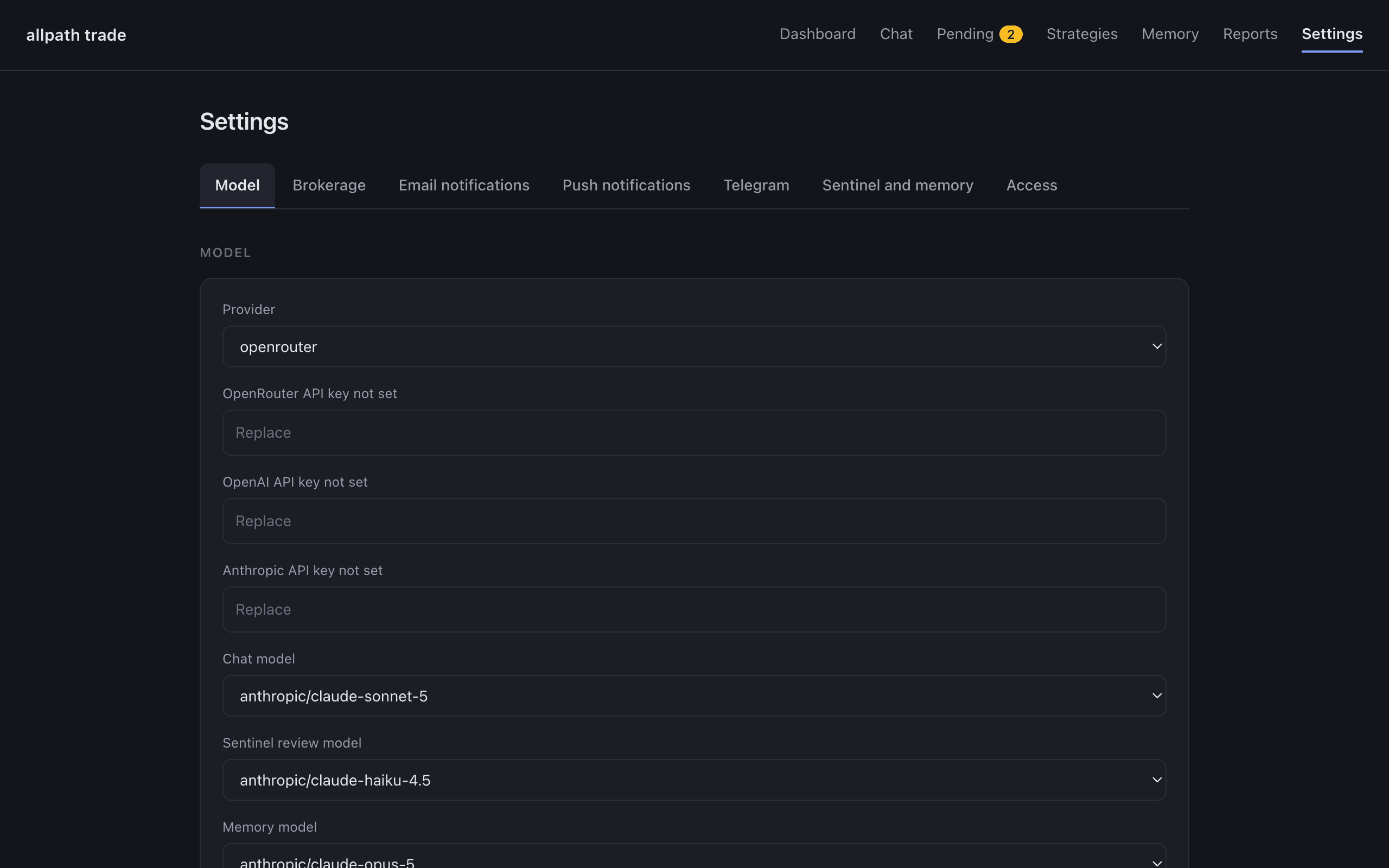
Settings: model dropdowns from a live catalog, per-channel notification tests, Telegram pairing, one Save.